
Cards and invoices
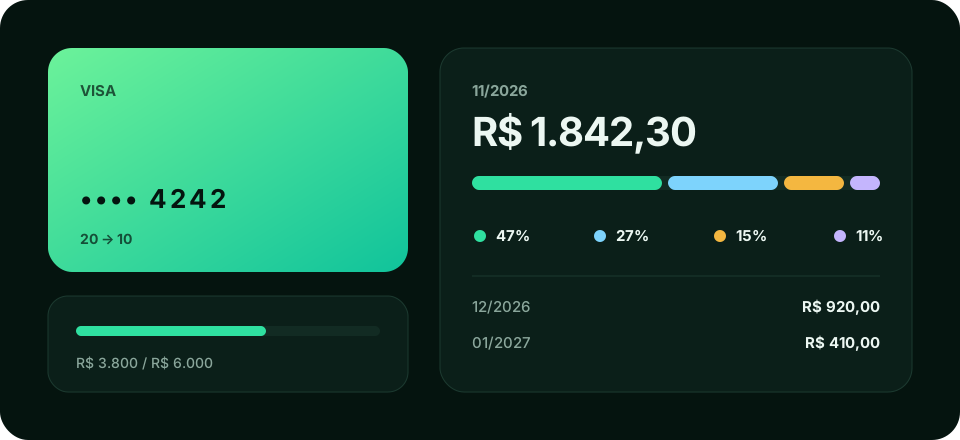
Add a card
Section titled “Add a card”Enter:
- The card limit.
- The closing day: after it, purchases go on the next invoice.
- The due day: when the invoice must be paid.
With this, Wallyn decides which invoice each purchase is charged to and shows how much of the limit is already used.
Invoices
Section titled “Invoices”Each month has one invoice per card, with the total and the split by category. You also see upcoming invoices, which already include future installments.
Installment purchases
Section titled “Installment purchases”Enter the total (or the installment amount) and the number of installments. Wallyn creates one entry per installment and puts each on the invoice where it will be charged. Installments stay grouped, and you can edit the group.
Paying the invoice
Section titled “Paying the invoice”Record the invoice payment by choosing the account the money came from. It is a record in your tracker: Wallyn does not move real money.